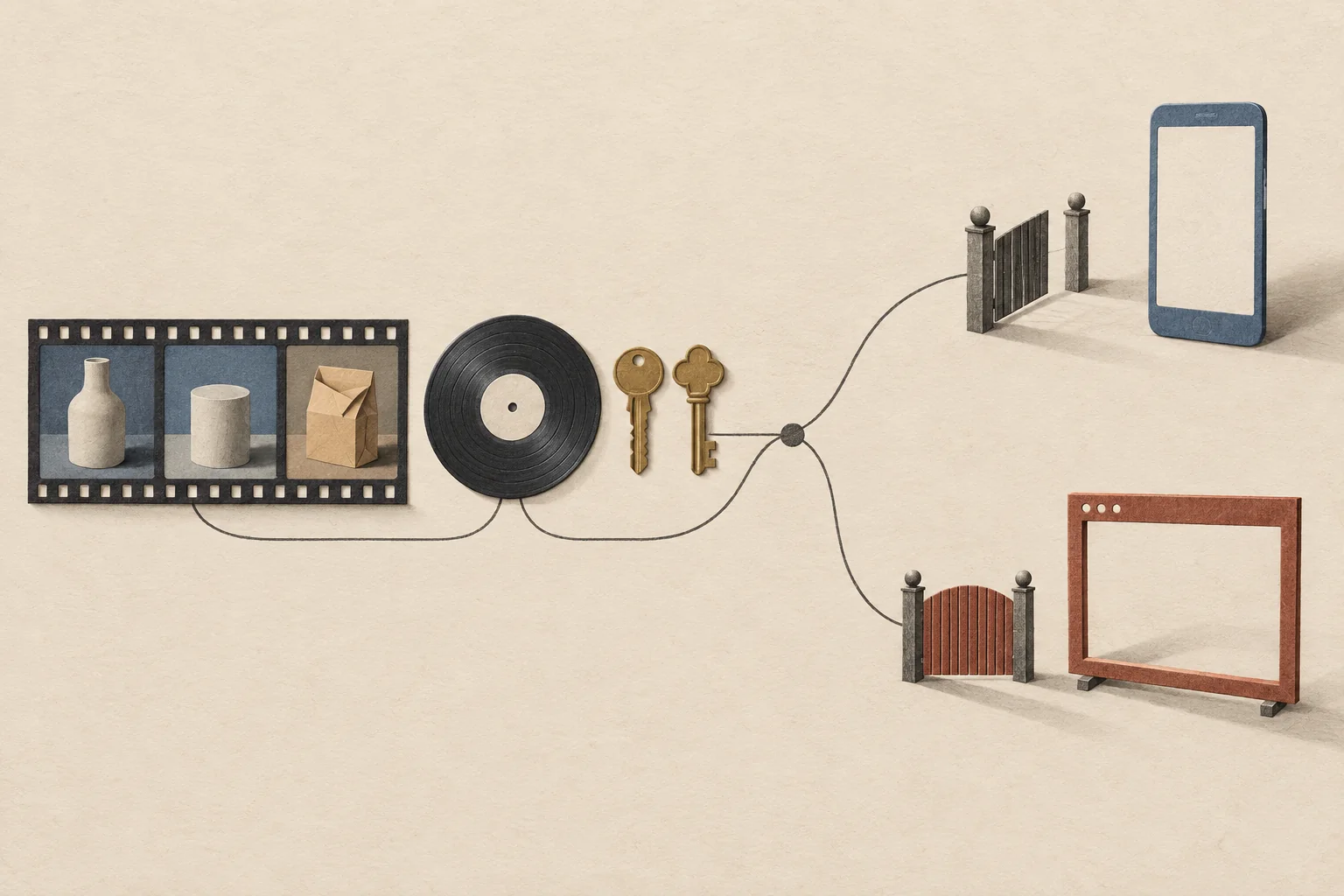
A brand can reuse a creator's video with music only when the permissions cover the video, the music and the planned use. A song in Instagram's audio picker or TikTok's general sound library does not give a brand permission to advertise with it, post it on another platform or put it on a product page. An original-sound label does not give that permission either. Check each destination before you reuse the file. If the music permission is missing, ask for a version without that track and clear a replacement.
This guide covers a creator's finished Reel or TikTok video that a brand wants to post, boost, run as an ad or move to another platform. The review steps are our recommendations. The Instagram, TikTok and FTC rules are named where they apply. None of this is a legal opinion, so get qualified advice when ownership is disputed or the campaign runs in several countries.
Start with where the video will run
Write down the planned use before you ask whether the song is cleared. An unpaid upload to a brand account, an Instagram boost, a TikTok ad and a video on a retailer's website are different requests. Treat each one as its own row in your approval record.
Meta's Music Guidelines require the right licenses for commercial or non-personal music use. They also make the person who posts or promotes the content responsible for its music. TikTok's business guidance on commercial music covers organic posts, video ads and branded content. On both platforms, a promotional video needs commercial music rights even when no media budget sits behind it.
Before you search for music or open the editor, record these details:
- Write down what the video promotes and which creator or brand account will post it.
- Note whether the plan covers an organic post, paid advertising or both.
- List the countries or regions the campaign targets.
- Note whether anyone expects to upload the finished video to another platform or a website.
A brand-account post, a creator's sponsored post and a paid ad are different assignments, so do not leave the editor to guess which one the brief means. If an ad is still undecided, mark it as pending in the record. A pending ad has no clearance yet.
| Planned use | Evidence to request | If evidence is missing |
|---|---|---|
| Post on the brand's Instagram account | Creator reuse permission and music terms for this commercial use | Hold the upload or replace the music |
| Boost an Instagram Reel | Music clearance and Instagram's boost eligibility rules | Prepare a different eligible version |
| Post on TikTok for a brand | Permission for TikTok and a commercial music source for the region | Choose a cleared track or hold the post |
| Run a TikTok ad or another paid placement | Music terms that name paid use, platforms and accounts | Hold that placement |
| Move the video to another platform | Permission that names each destination | Do not carry over the source platform's music |
| Publish on a product page or off-platform | Music and video permission for that use | Clear it separately or use a cleared replacement |
Modash's repurposing guide recommends planning destinations and licensing before you collect content. That planning step helps here. Do not adopt its tag-only advice for reposts as your permission standard. TikTok's copyright guidance asks for proper authorization or a legally valid basis before you use someone else's copyrighted content. For a commercial reuse, make documented permission your working default.
Check the creator permission and the source file
A creator's approval of a campaign does not answer every reuse question. Compare the planned use with the permission you have on record. For the request itself, use the questions to ask before reusing a creator's post, and keep the music decision in the same record.
| Check | What to record | Hold the edit when |
|---|---|---|
| Destination | Publishing account, platform, placement and market | Permission names only the original platform |
| Use | Organic posting or paid advertising | The media plan adds ads without approval |
| Changes | Cropping, trimming, subtitles, translation and audio replacement | The planned changes fall outside the agreed scope |
| Timing | Start date, end date and who tracks expiry | The license period is missing or has ended |
| Other material | Music, clips, images and people who can be identified | The creator cannot confirm those permissions |
| Approval | The person who can approve the final version | Only an earlier cut has been approved |
These fields are a briefing recommendation, and they do not replace a contract. If reuse adds scope to the original production deal, use the guide to budgeting creator usage rights.
Ask for the original export, with separate dialogue and music tracks if the creator has them. A downloaded social post may carry burned-in captions, an old offer or music that cannot come out without damaging the speech. If the only file you have is unsuitable, ask for a fresh export or a new take of the shot. Ask for the clean file because it gives you editing control. Do not tell the creator that every cross-post or visible watermark gets a distribution penalty, because no source here supports that claim.
Identify how the music entered the video
Ask the creator for the track title, recording version, source and any license document. Listen to the whole delivered file, including music under speech and music that was playing in the room during filming. A music-free export must remove the song from every part of the soundtrack. Removing the platform's audio label does not remove the song.
Then sort the music into one of these cases:
- Meta says Instagram's licensed music library is for personal, non-commercial use, and some business accounts and post types cannot use it.
- Access to Instagram's licensed library varies by country or region, so a song that shows up on a creator's account tells you nothing about your brand's rights.
- Instagram's music library guidance says Meta Sound Collection music can be used for commercial purposes, including ads, on Instagram.
- Sound Collection permission describes Instagram uses and does not prove that a downloaded soundtrack is cleared for TikTok or a website.
- A track from TikTok's Commercial Music Library still needs a check of its region, placements and terms before it goes into a promotional post.
- An outside music license needs a read of the terms for that track, and a purchase receipt alone may not show whether the brand, its agency and the planned uses are covered.
- Music the creator supplied needs a check of who wrote the composition, who owns the recording and whether it holds samples or work by collaborators.
Later's tutorial on Instagram music shows how a song is picked through Instagram's tools and notes the limits on business accounts. Later's TikTok sounds guide shows how people find audio through the For You feed, sound pages and search. Both guides help you work out how the music was added. The clearance decision still needs the platform terms and the rights holder's permission.
Check the composition and the recording
The U.S. Copyright Office explains that a musical composition and its sound recording are separate works. Different people often own them, and each is licensed on its own.
This matters when a creator says they made the audio. Recording a performance does not make someone the owner of the underlying song. A creator's approval to reuse their video cannot cover music rights the creator does not control.
To clear a track, send the finished video and the planned uses to the rights holders or their licensing agents. Ask them these questions:
- Do you control the composition, the recording or both?
- Who else must approve the rights you do not control?
- Can this recording go with the attached video in brand marketing?
- Does the permission cover organic posts, paid ads and posts from the creator's account?
- Which platforms, websites, territories and dates does it cover?
- May the brand and its agency publish the file?
- Are shorter edits, loops and new voiceovers allowed?
- What attribution, fees, renewal terms or other conditions apply?
- Can you confirm the permission in writing and name the track version it covers?
These questions scope a request. They do not settle whether a given license is valid.
Keep music clearance separate from Instagram boost eligibility
Instagram's Reel boosting instructions, read on September 27, 2026, say a Reel with licensed music cannot be boosted. Meta recommends royalty-free music such as Sound Collection, or original audio.
That recommendation does not let you boost a file whose original audio carries an unlicensed song. Check what is audible and who controls it. A music license you negotiated on your own also does not guarantee that the Reel will pass Instagram's boost checks.
This source covers boosting only. For another ad workflow, check its current rules before you commit media spend. Creator ad access is a separate question too, and Collab posts and partnership permissions covers that part of the approval.
Choose a TikTok track from the Commercial Music Library
TikTok's commercial music guidance applies when a post promotes a brand, product or service, including a creator's sponsored post. TikTok recommends its Commercial Music Library (CML) for that content. It says its licenses for music outside the CML do not cover commercial use.
TikTok's CML instructions start from different places by account type. A Business Account sees Commercial Sounds when it adds a sound. A personal account opens the Sounds dropdown and selects Commercial Sounds. A personal account's wider music choice does not widen the rights for a sponsored video.
To pick a CML track, follow these steps:
- Select the region where the campaign will run.
- Check the track's usable placements against the planned use.
- Read any extra requirements or restrictions on that track.
- Save the track reference and the conditions you relied on with the video brief.
TikTok says a selected Commercial Sound can be used in organic or paid content, so you can plan both uses from the start if the track fits the campaign. That statement covers CML tracks only, and other sounds on TikTok need their own check.
Read the CML terms next to the library entry. They require users to follow each track's Usable Placements designation and allow extra restrictions per track. They also say Premium Tracks may cost an extra fee, so do not record every CML track as free. This guide is based on the English global terms and Help Center pages. Check the terms and track conditions for your market before you approve a campaign.
Treat other TikTok sounds as a separate rights question
An original-sound label can sit on audio the poster did not create. Do not approve a sound because of its label, its popularity or another brand's use of it.
TikTok says that if you post original audio or music from outside the CML with the content disclosure setting on, you must accept its Music Usage Confirmation. In it, you confirm that the post holds no copyright-protected music, or that you obtained and paid for every license you need. Accepting it records your claim. It does not get you any missing license.
For music licensed outside TikTok, ask the rights owner or licensing provider to confirm that the license covers this campaign. Send the planned accounts, the commercial purpose, the territories, the duration, any paid use and any uploads outside TikTok. A named rights reviewer should settle unclear terms before the team publishes.
If you cannot clear music that is mixed into the dialogue, ask the creator for another take. Do not assume that music licensed on the source platform travels with the exported file.
Rebuild the framing and captions for TikTok
TikTok for Business recommends vertical 9:16 video, content kept inside the interface safe zone, and captions or text overlays that add context. That page is about performance ads. Use it as a starting point for the edit, and do not read it as a rule for organic reach.
Review the new crop shot by shot. Keep the product action in the frame, especially hands, controls and the result of a demonstration. If a vertical crop cuts out what a spoken claim refers to, use another shot or keep more of the original frame.
Then review the two kinds of captions on their own:
- Correct the spoken captions for transcript errors, product names and timing, and keep every limit the creator said out loud.
- Make sure no caption turns a narrow observation from the creator into a broad promise.
- Remove any mention of another platform, any expired offer and any instruction a TikTok viewer cannot follow from the post caption.
- Check every place the call to action names before you approve it.
Watch the edit once without sound to check that it still makes sense. Then listen without looking at the screen. If either pass changes the meaning, revise the edit. This test is our editorial check, and TikTok does not require it.
Keep the disclosure in the new version
TikTok requires its content disclosure setting on content that promotes a brand, product or service. That includes promoting your own business and promoting a third party for payment or another incentive.
Choose the setting for the account that will publish. TikTok labels promotion of your own business as Promotional content and third-party branded content as Paid partnership. Do not copy the original post's choice without checking the new publisher's relationship to the brand. TikTok says turning on disclosure does not affect feed distribution. The commercial content disclosure workflow walks the creator through the setting, apart from the music check.
For endorsements that reach U.S. consumers, FTC staff guidance says the disclosure belongs in the video itself. It advises against relying on a platform tool alone. A disclosure in both the audio and the picture is more likely to be noticed. Free products can also create a relationship that needs disclosure, and other countries may add their own rules.
Check the disclosure again after every trim. An editor can cut the opening explanation and leave the endorsement in.
Complete a music clearance decision sheet
Keep one record for each exported version and each destination. Record the evidence itself, because a note that says "cleared" with nothing behind it cannot be checked later. Keep the record with the final export, so a reviewer can match the audible music to its source without guessing which remix or version the editor used.
| Field | What to record |
|---|---|
| Asset | Post URL, creator, delivered filename and edit version |
| Account | The creator or brand account that will publish it |
| Music | Track, performer, recording version and audible sections |
| Source | Sound Collection, CML entry, creator-owned music or an outside license |
| Ownership | Composition and recording contacts, plus open samples or contributors |
| Use | Platform or website, and organic or paid placement |
| Scope | Territory, start date, end date and allowed edits |
| Evidence | License document, saved track conditions or written approval |
| Decision | Cleared for this use, replace the audio, or hold for permission |
| Owner | Person who made the decision and reviews the expiry |
A saved record shows that someone reviewed the music. It does not promise the music stays available. TikTok's CML terms let TikTok mute or remove a video if it loses the right to offer a sound. As a precaution, keep a version of the edit with the music on its own track.
Assign someone to track the approved rights and their expiry dates. Before the next reuse, open the sheet and confirm that its track, file version, destination and dates still match the plan.
Three hypothetical reviews
The cases below are invented to show how the sheet works. They describe no real creator, brand or campaign result.
An Instagram Reel headed for a boost and a product page
A brand has the creator's written permission to reuse a Reel. The Reel uses a song from Instagram's licensed library. The brand wants a 30-day Instagram boost and a video on its product page, and it has no separate music license.
| Destination | Evidence available | Decision |
|---|---|---|
| Instagram boost | Creator video permission, with no commercial music permission | Ask for an export without the song, choose cleared audio and check boost eligibility |
| Product page | Creator video permission, with no music coverage for the website | Hold the version with music until website coverage exists, or use a cleared replacement |
The creator's video permission is still useful, but it leaves the music open. Ask for a clean export that keeps the dialogue and the sound effects the video needs. Then check that the replacement music covers each destination. Do not reuse a Meta-only music option as the website soundtrack.
A TikTok demonstration that turns into an ad and an Instagram upload
A creator makes a product demonstration with a CML track picked for the planned TikTok region. The brand later asks for a TikTok ad and an Instagram upload.
| Proposed use | Decision |
|---|---|
| Original TikTok post | Check the CML entry and its conditions for this commercial post |
| TikTok ad | Recheck paid placement and region, and get the creator's ad permissions |
| Instagram upload | Hold the export until music rights cover Instagram, or replace the soundtrack |
TikTok's CML terms grant no blanket commercial rights outside TikTok. They require separate permission from the rights holder for outside uses. Downloading the finished video does not widen that permission.
A sponsored video adapted for a TikTok brand account
A creator has approved a TikTok brand-account version of a sponsored desk-organizer demonstration, subject to a review of the final cut.
| Original sequence | TikTok version | Reason |
|---|---|---|
| Greeting, then a wide desk shot | Open on the organizer in use, with the sponsorship clear | Show the product and the relationship at once |
| Hands near the edge of the frame | Reframe on the hands and drawer, and replace shots where the action drops out | Keep what the viewer needs to see |
| Music mixed into the source export | Use the clean dialogue export and a soundtrack cleared for this use | Keep video permission and music permission apart |
| Spoken note that larger items do not fit | Keep that limit in the speech and the captions | Keep the creator's meaning |
| Ending points to an expired Story offer | Remove the offer and use an approved, current next step | Send viewers to a page that works |
Do not invent a stronger claim to make a shorter version work. If a new opening needs words the creator never said, ask for a new recording and a new approval.
Reopen the record before paid or off-platform reuse
Before the brand spends money on the video or moves it to another platform, compare the new plan with the approved record:
- Check that the plan uses the same music version and the same finished edit.
- Confirm that the current track conditions or license cover the paid placement and the campaign regions.
- Confirm that an outside license covers this advertiser's planned use.
- Look for terms that have expired or are still open.
- Note whether the team will export the video to another platform.
Then review the final export and the upload settings together:
- The permission covers this file, account, market, use and date.
- The music has a written basis for this commercial use.
- The crop keeps the demonstration in view, and the captions stay readable in the preview.
- The creator's limits and the sponsorship context survive the edit.
- The disclosure matches the publishing relationship and the rules in each market.
- The ending points to a page that is live and an offer that is current.
If the plan turns into creator-authorized advertising on TikTok, stop and use the Spark Ads permission checklist. A creator's approval to advertise a post does not show that the music covers that use. Send the final cut, the post caption and the planned disclosure setting to the named reviewer. Settle any missing permission or unclear music license before you schedule that version.
Sources
- Access to the licensed music library on Instagram
- Music Guidelines
- Boost an Instagram Reel
- What Musicians Should Know about Copyright
- How to Add Music to Instagram Posts & Stories in 2026
- 7 Ways to Repurpose Influencer-Generated Content (& How To Do It)
- Commercial use of music on TikTok
- Promoting a brand, product, or service
- Copyright
- Creative best practices for performance ads
- Disclosures 101 for Social Media Influencers
- About the Commercial Music Library
- How to use the Commercial Music Library
- Commercial Music Library - User Terms
- How to Find, Use & Make TikTok Sounds in 2024