




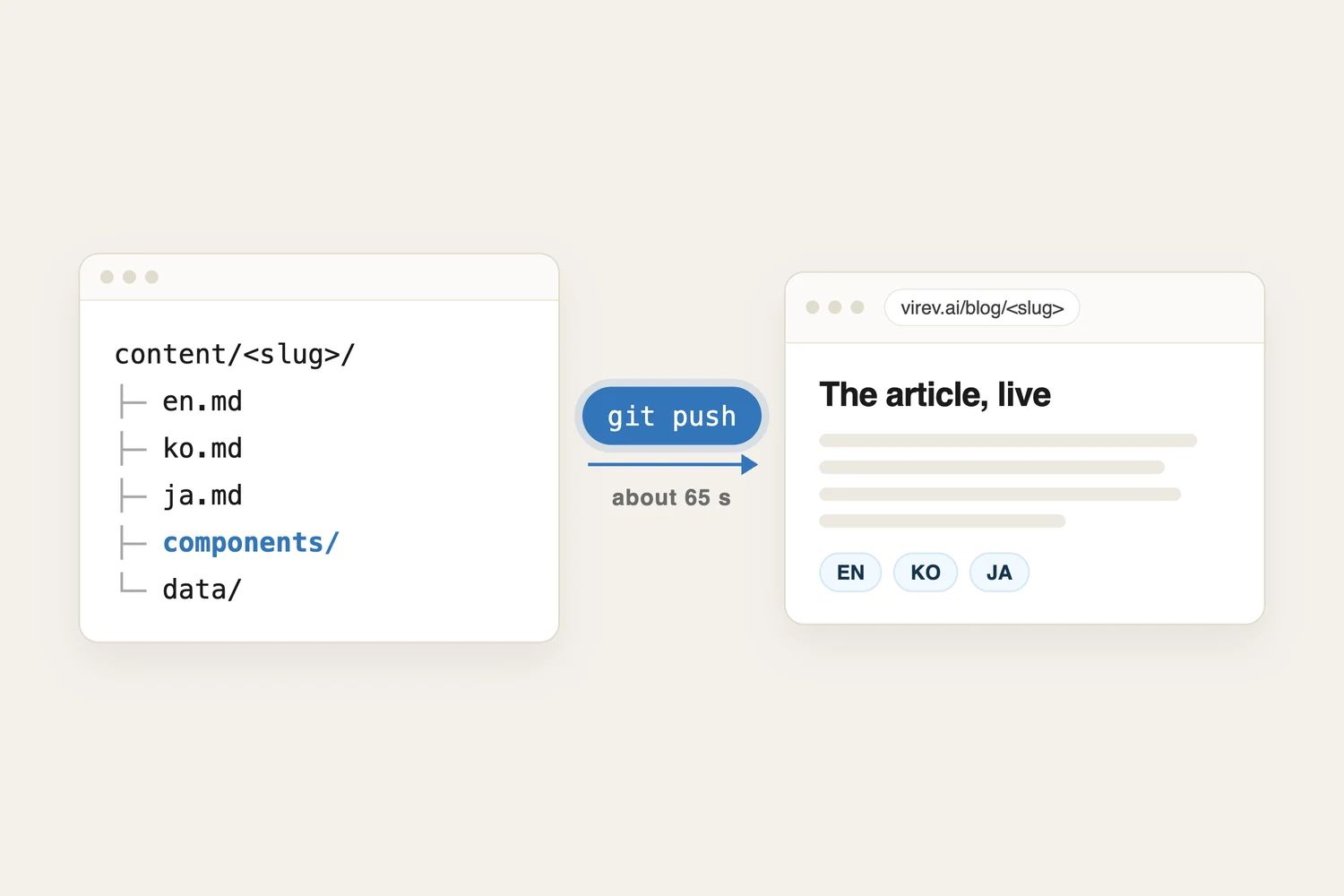
This blog has no editor screen and no publish button. An article is a folder of text files in our code repository. It goes live when that folder reaches the sieun/dev branch on GitHub, and Vercel rebuilds the site. Over the 156 production builds between 1 and 8 October, the build took a median of 65 seconds.
Most articles here are written by an agent. A person asks for the article in chat, reads the preview and approves it. The agent runs the git commands. The person never opens a terminal, but a git push is still what publishes every page.
Posting an article, step by step
Here is the whole path for one new article, with who does each step. The person does three of the eight steps, and a second agent can do the approval.
Ask for the article
One message in chat: the topic, the reader, the languages.
Create the folder
Makes content/<slug>/en.md with draft: true.
pnpm new <slug>Write it
Prose in en.md, ko.md and ja.md. Components and data go in the same folder.
Read the preview
The dev server on port 5179 shows the page as readers will see it.
pnpm devupdates in under 0.5 s after a save
Approve
A reviewer, a person or a second agent, sets draft: false.
Commit and push
commit.mjs takes only the files named, then one push.
git push origin sieun/devBuild the whole blog
Every article in every language, rendered to static HTML.
median 65 s
Live
/blog/<slug>, /ko/blog/<slug> and /ja/blog/<slug> on virev.ai.
The draft flag does most of the work in this flow. A file with draft: true still renders, so the preview is the real page with the real layout. It is kept out of the home page, the collection hubs, the sitemap and the feed, and it carries a noindex tag. The reviewer flips the flag in the same commit that publishes the article.
The person also never deals with the language switch. A language is published when its file exists and is not a draft. That one rule feeds the language menu, the hreflang links and the sitemap, so adding ja.md later is the whole job of adding Japanese.
What is inside the folder
This article is a folder too. Everything it needs is in it:
apps/blog/content/how-virev-blog-works/
├── en.md
├── ko.md
├── ja.md
├── components/
│   ├── PostingFlow.svelte
│   └── BuildTimes.svelte
└── data/
    └── builds.csv
The step diagram above is PostingFlow.svelte, written for this page only. The three language files import it and pass it their own text. No other article loads it, and no shared template had to change to add it.
The chart below is the second component. It reads data/builds.csv, 156 rows taken from the Vercel API. The numbers are parsed when the site builds, so the chart shows the data in the commit that published it.
How long the build takes
Half of the builds took between 61 and 71 seconds. The slowest took 169 seconds. Each build renders all 345 English articles, 14 Korean and 12 Japanese editions, drafts included, because the site is rebuilt from scratch every time.
The build is not the only wait. The blog shares the sieun/dev branch with the rest of our code, and every push to it starts a blog build, whatever the push changed. In the week measured, 113 of the 156 builds came from a push whose newest commit did not touch the blog. Another 170 builds were canceled while still queued, and a newer build took their place.
Articles also wait for the branch. On 5 October three article commits were live 1.2 to 1.5 minutes after they were made. On 7 and 8 October two batches of articles were committed but not pushed for 4.4 and 5.6 hours, while pushes to the shared branch were paused until other changes passed their checks.
How other blog systems handle the same post
Take one article with one custom interactive chart, and compare what each system asks of the person writing it.
| System | How you publish | A custom interactive chart |
|---|---|---|
| WordPress.com | Publish button in the editor | Scripts need a plugin-enabled plan |
| Ghost | Publish button in the editor | HTML card plus code injection for the post |
| Substack | Publish button, web or email | Not supported |
| Notion Sites | Publish the page with one click | Host it elsewhere, embed the URL |
| Next.js or Astro (MDX) | Commit and push, the host builds | Import a component into the .mdx file |
| This blog | Commit and push, Vercel builds | A Svelte file in the article folder |
The first four are content management systems. The writer logs in, clicks a button and the page is live at once, with no build. Custom code is the hard part. On WordPress.com, a script in a Custom HTML block runs only on a plugin-enabled plan with hosting features turned on. Ghost takes custom code in an HTML card and in the post's own code injection field, so the chart's code is stored inside the post, outside any code repository. Substack does not support custom HTML, CSS or iframe code in the post editor. Notion embeds content from more than 1,900 sites through Iframely, so the chart has to live on a site Notion can embed.
The last two keep articles as files in git. Astro and Next.js both let an MDX file import a component, and our blog does the same with mdsvex, the Svelte version of MDX. A chart is ordinary code in the repository. A component that fails to compile or to render fails the build, before any reader sees it. The cost is the build and someone who can run git.
Our blog sits in the git group. The agent takes the git part, so the person keeps the steps of a content management system: ask, read, approve.
What an article can hold
A folder can hold any Svelte component, so an article can have its own animation, interaction or layout without a change to the site. Next to that, every article can use the shared blocks:
Chartdraws an ECharts chart and keeps an HTML table of the same rows for readers without JavaScript, crawlers and screen readers.Callout,FigureandSidenotecover asides, images with captions and notes in the margin. Markdown footnotes become margin notes at build time.Embedputs a piece of one-off HTML in a sandboxed frame.import rows from './data/file.csv'gives a component the rows of a CSV file.style.cssin the folder styles that article only, when every selector starts with.article-<slug>.
The limits come from the same design. A one-word fix takes the same path as a new article: a commit, a push and a full build. There is no scheduled publishing, because nothing flips draft on a date. And a new component reaches readers only after a build that passes.
When something goes wrong
A broken article fails the build, and a failed build is never served. The previous build stays live and the build log names the file. Two production builds failed on 1 October, and readers kept the build before them.
To take a published article down or undo a change, there are two ways:
- Revert the commit on
sieun/devand push. The next build no longer has the change. - Promote the previous deployment in the Vercel dashboard. That takes effect at once and needs no commit. Revert the commit afterwards, so the repository matches what is live.